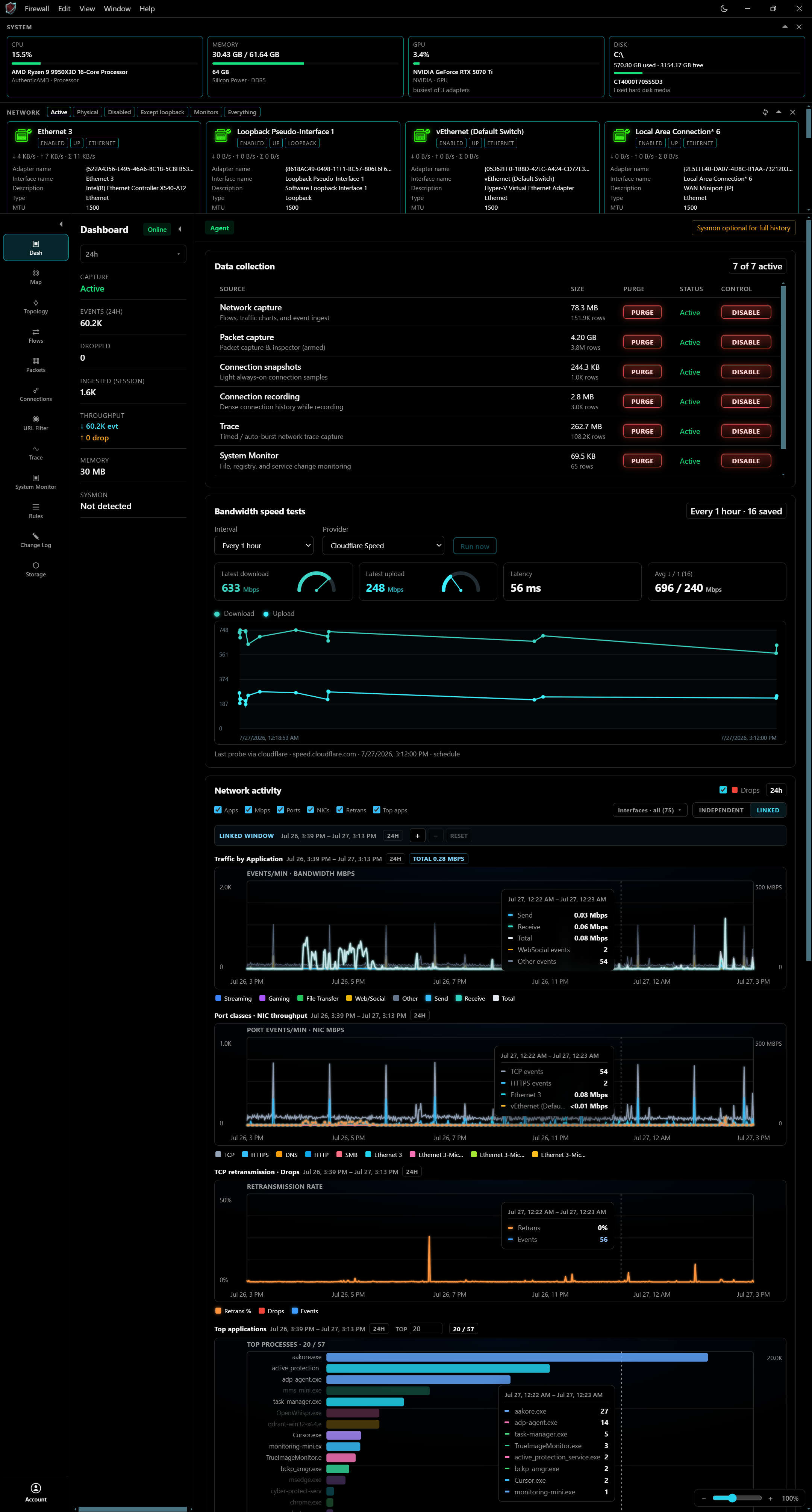
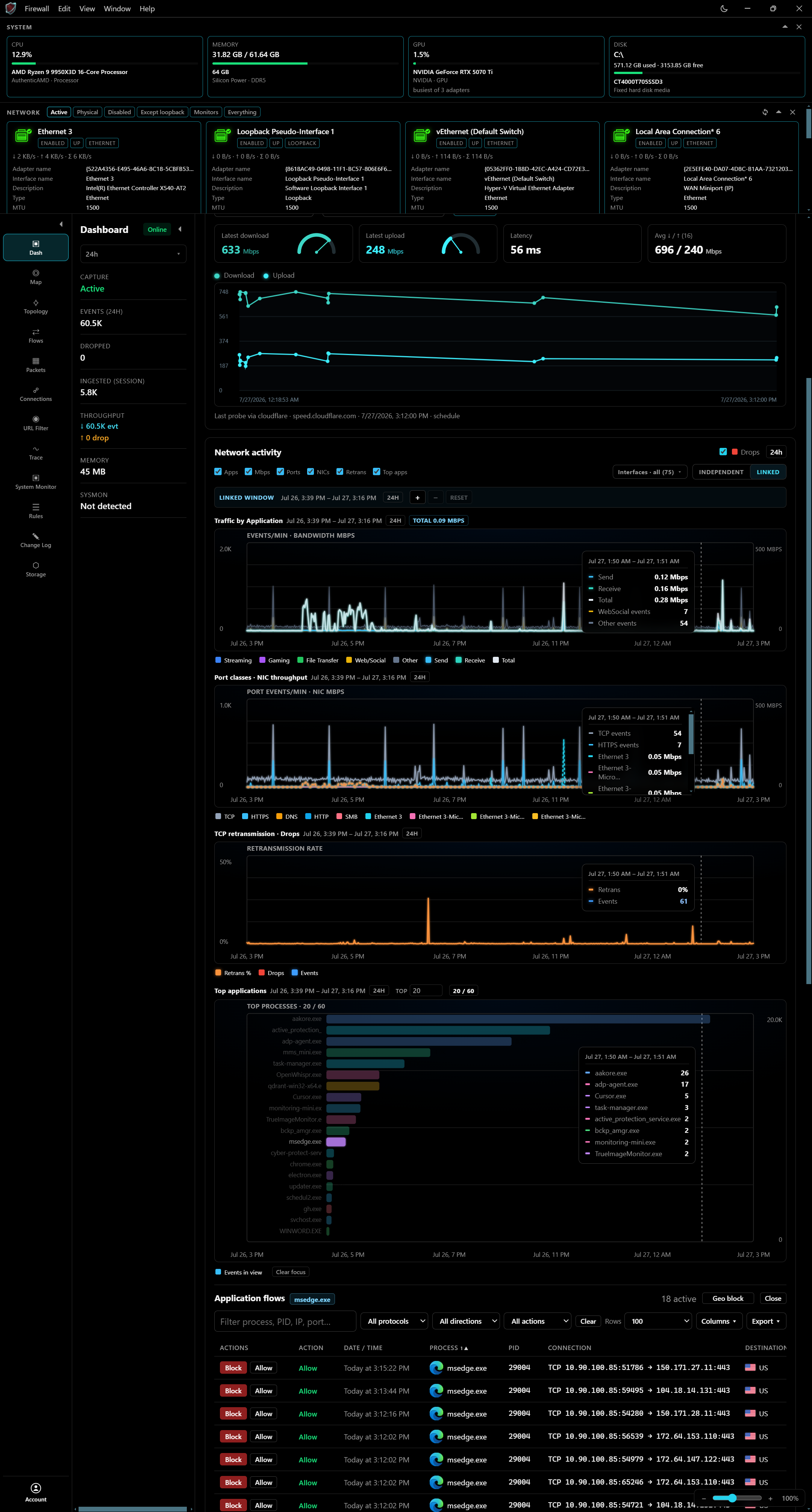
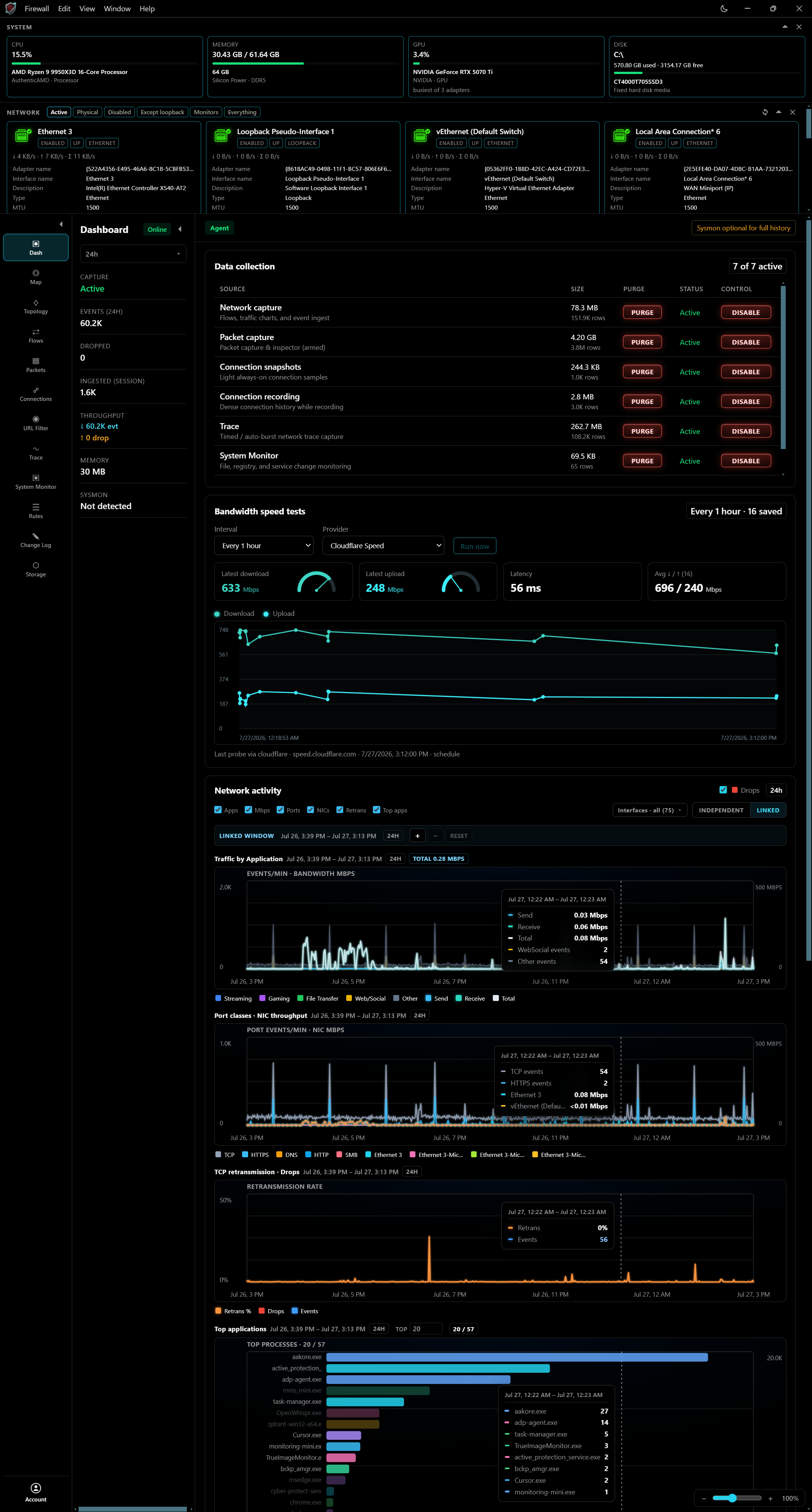
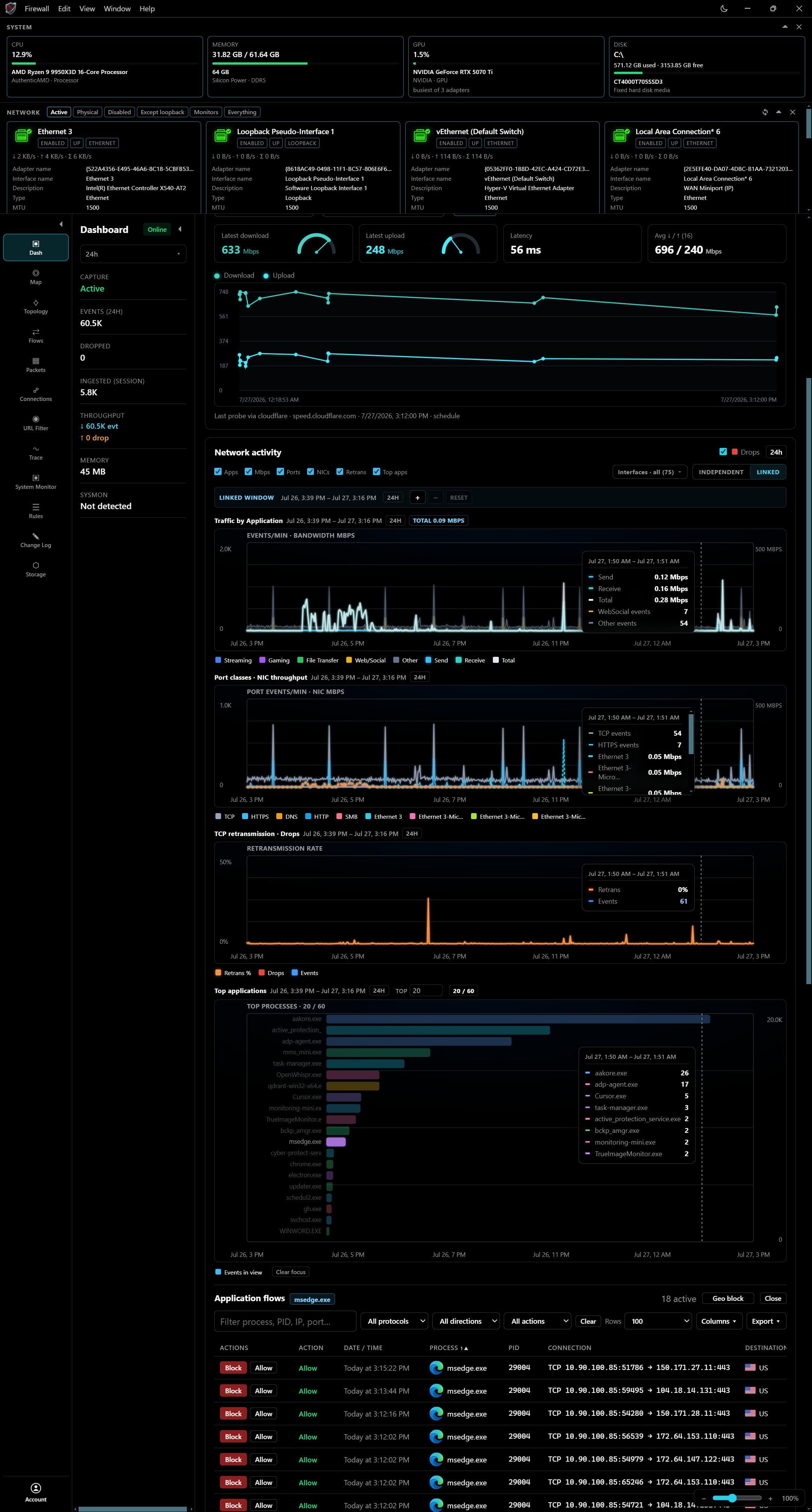
01 — Command center
See the whole machine at once.
Live bandwidth, system health, and top processes in one command surface—built for Windows operators who need signal, not noise.
Windows 11 desktop firewall
Live capture, geo map, URL filtering, and Windows Firewall control in one dark command surface.
01 — Command center
Live bandwidth, system health, and top processes in one command surface—built for Windows operators who need signal, not noise.
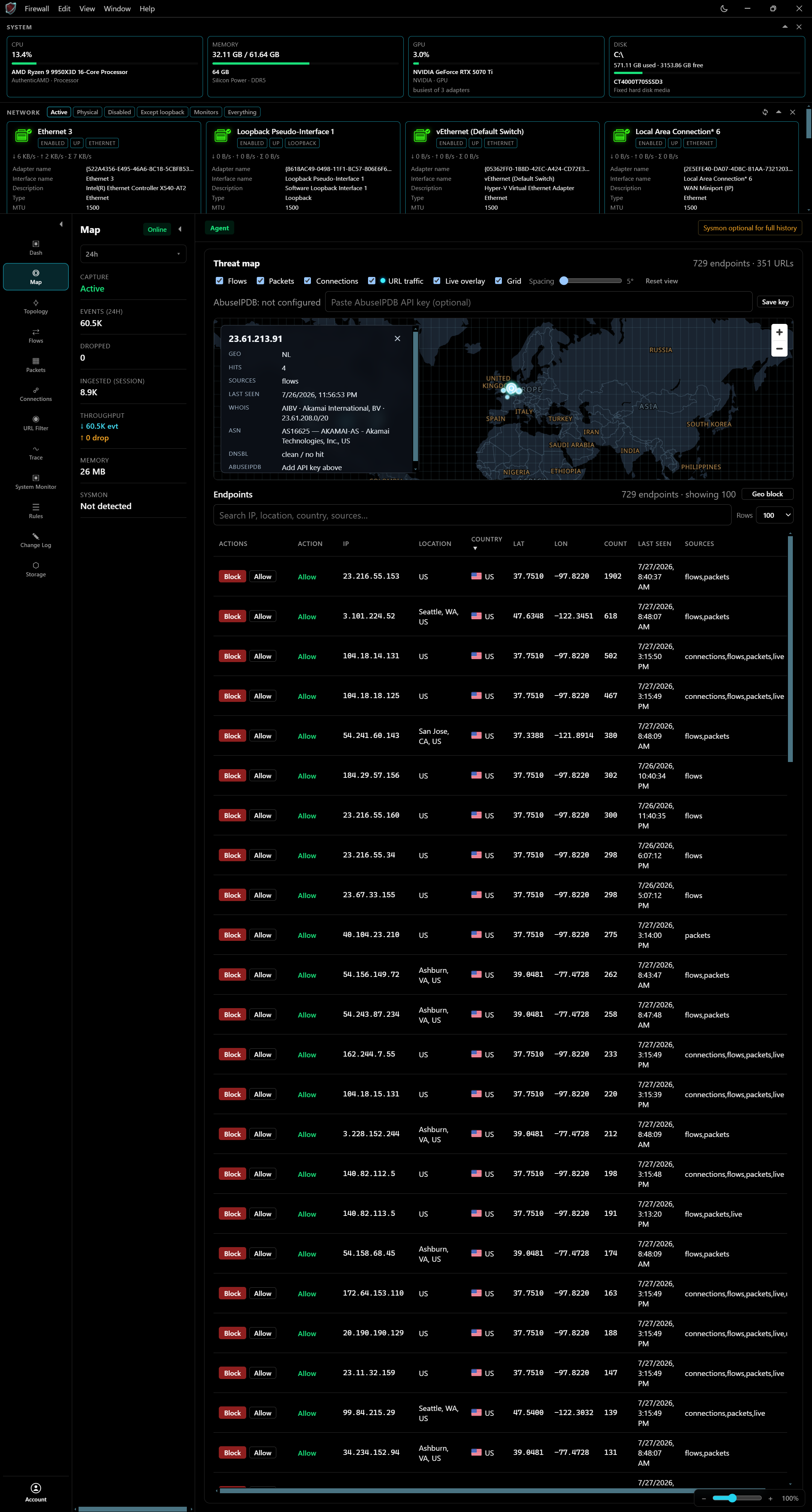
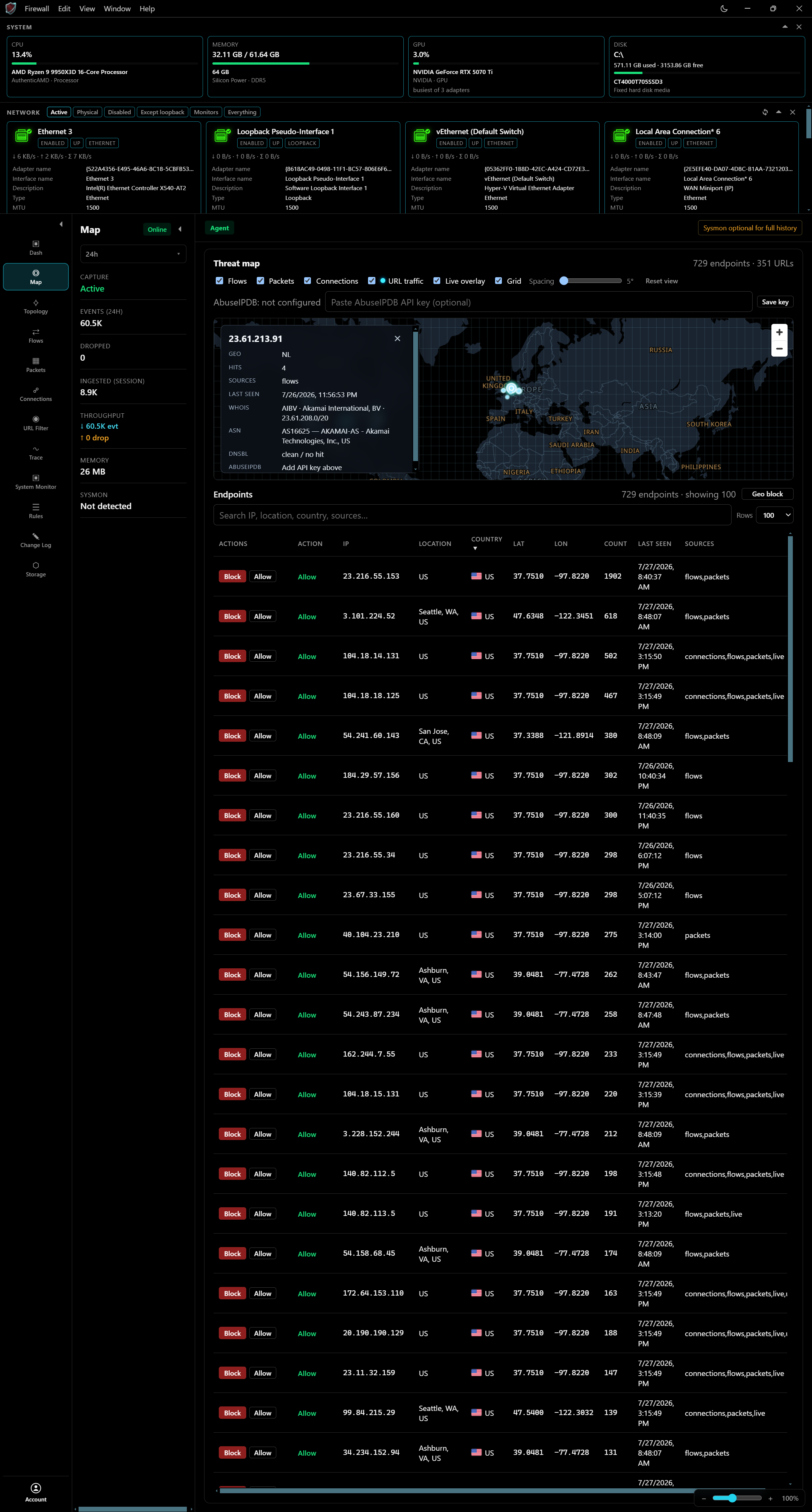
02 — Threat map
Endpoints light up with geo context. Block or allow from the map and the live endpoint table without leaving the flow.
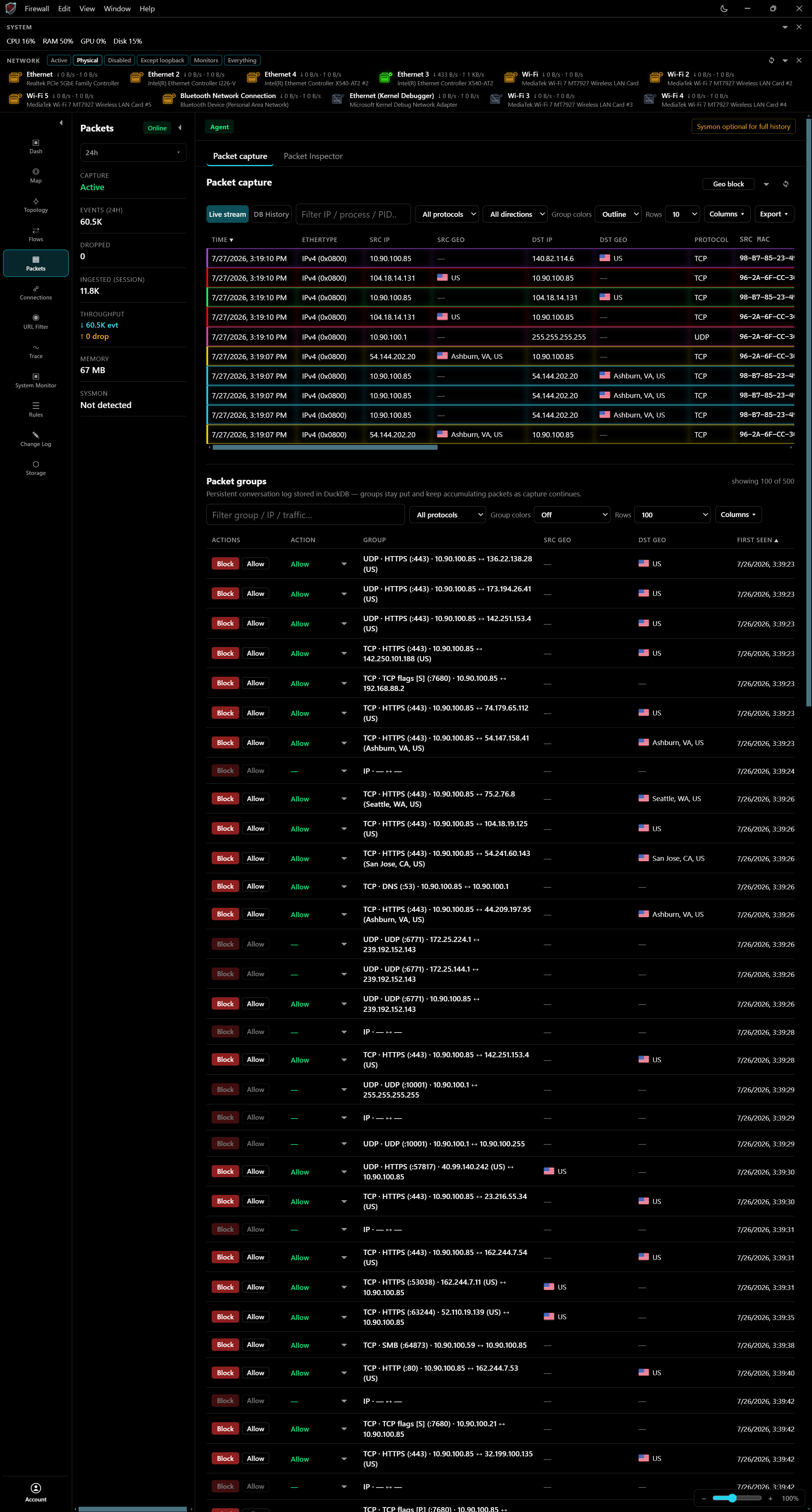
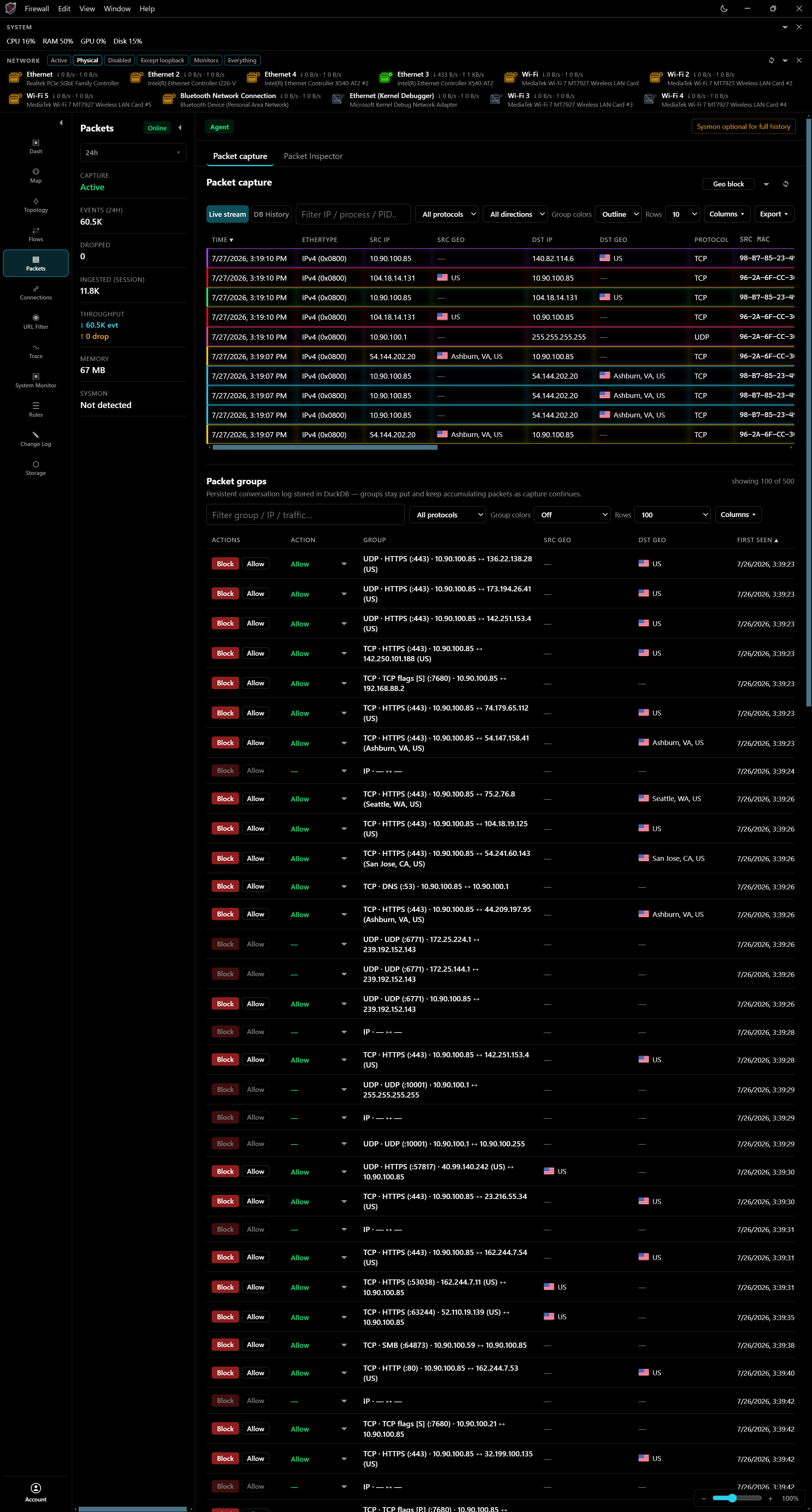
03 — Packet groups
Persistent packet groups stay put as capture continues—block or allow a conversation the moment it matters.
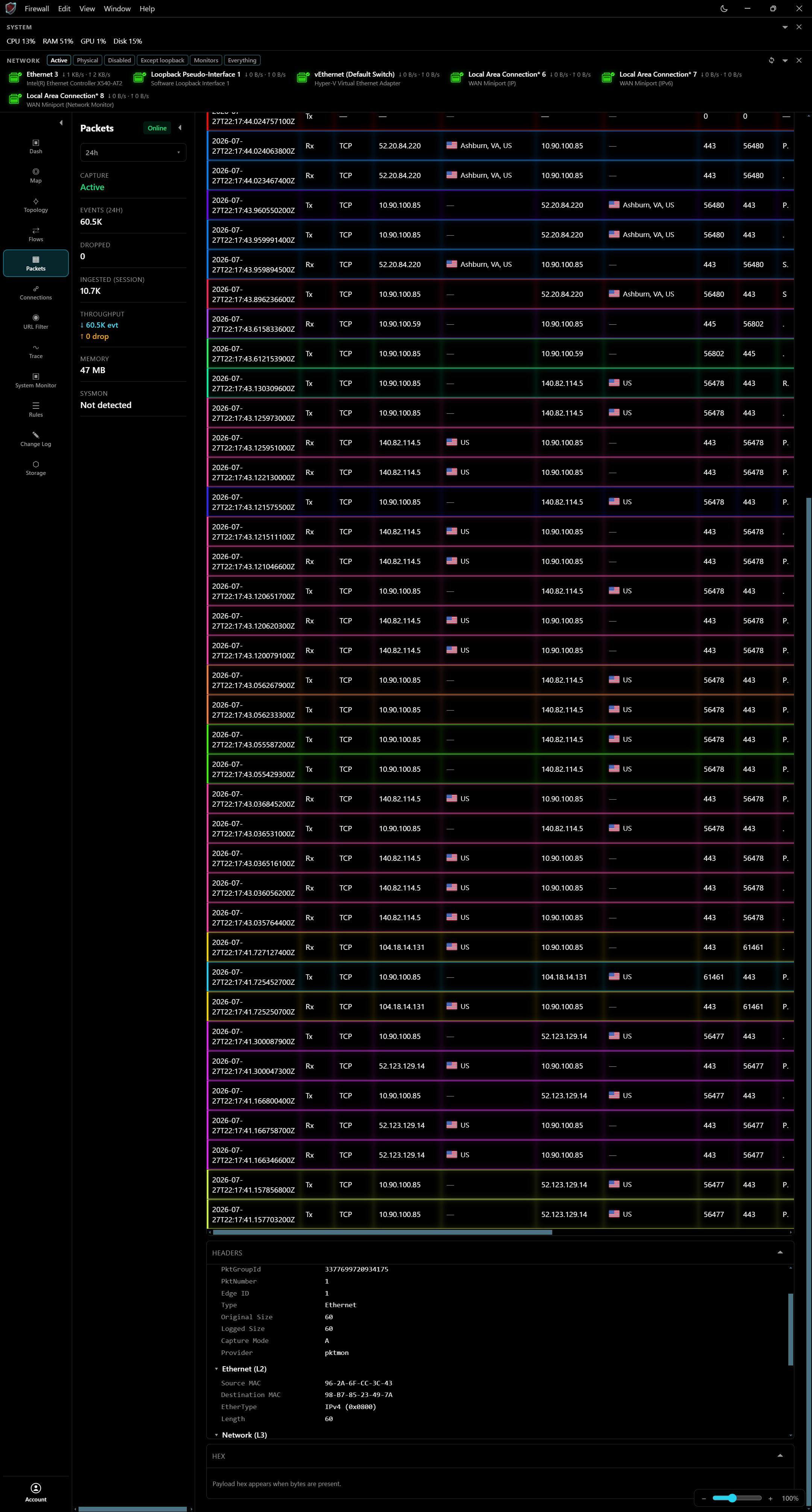
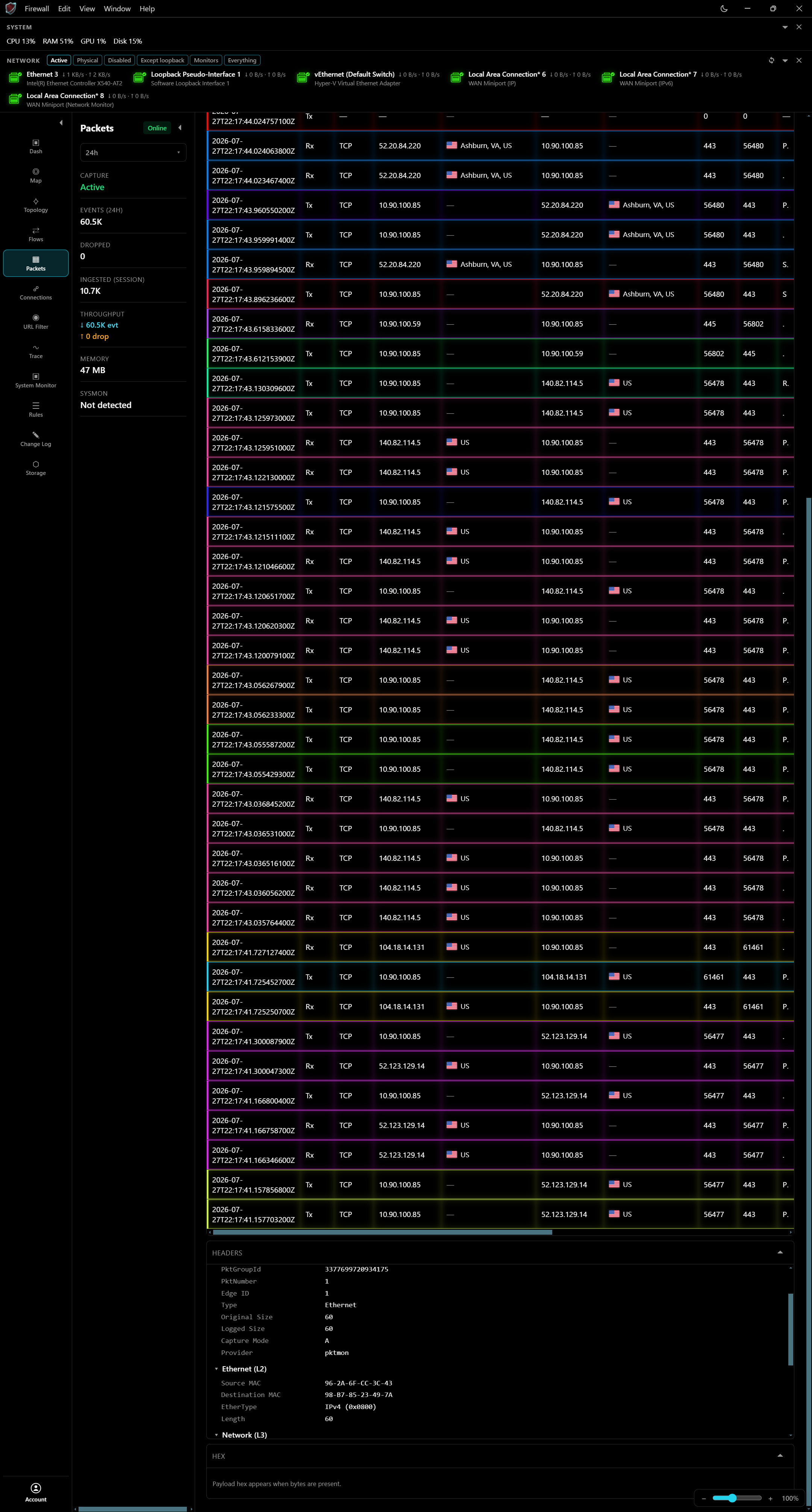
04 — Packet inspector
Select a frame and inspect Ethernet and network layers with live capture still running beside you.
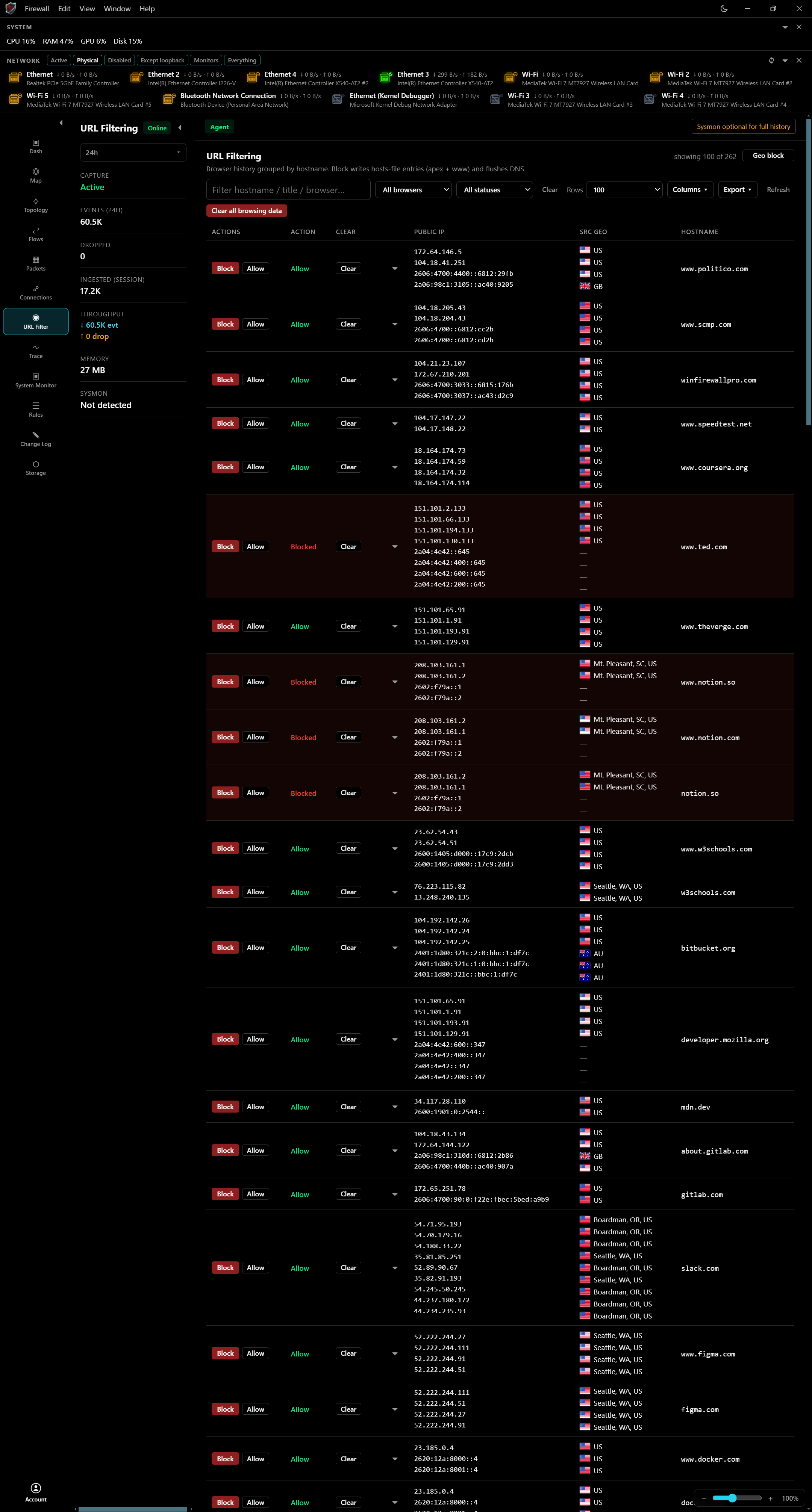
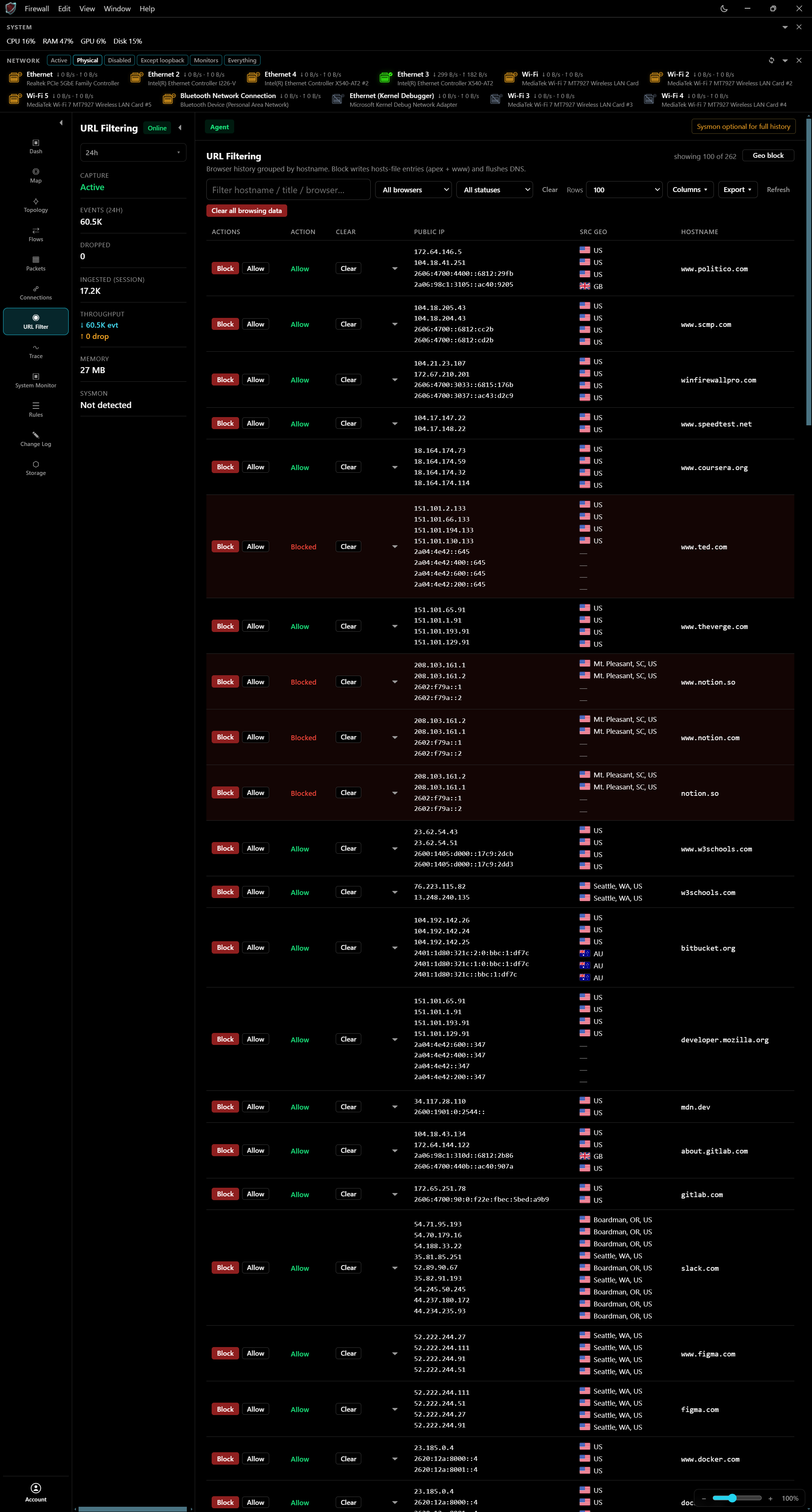
05 — URL filtering
Allow or block destinations by hostname, see public IPs and source geography, and clear browsing data when you need a clean slate.
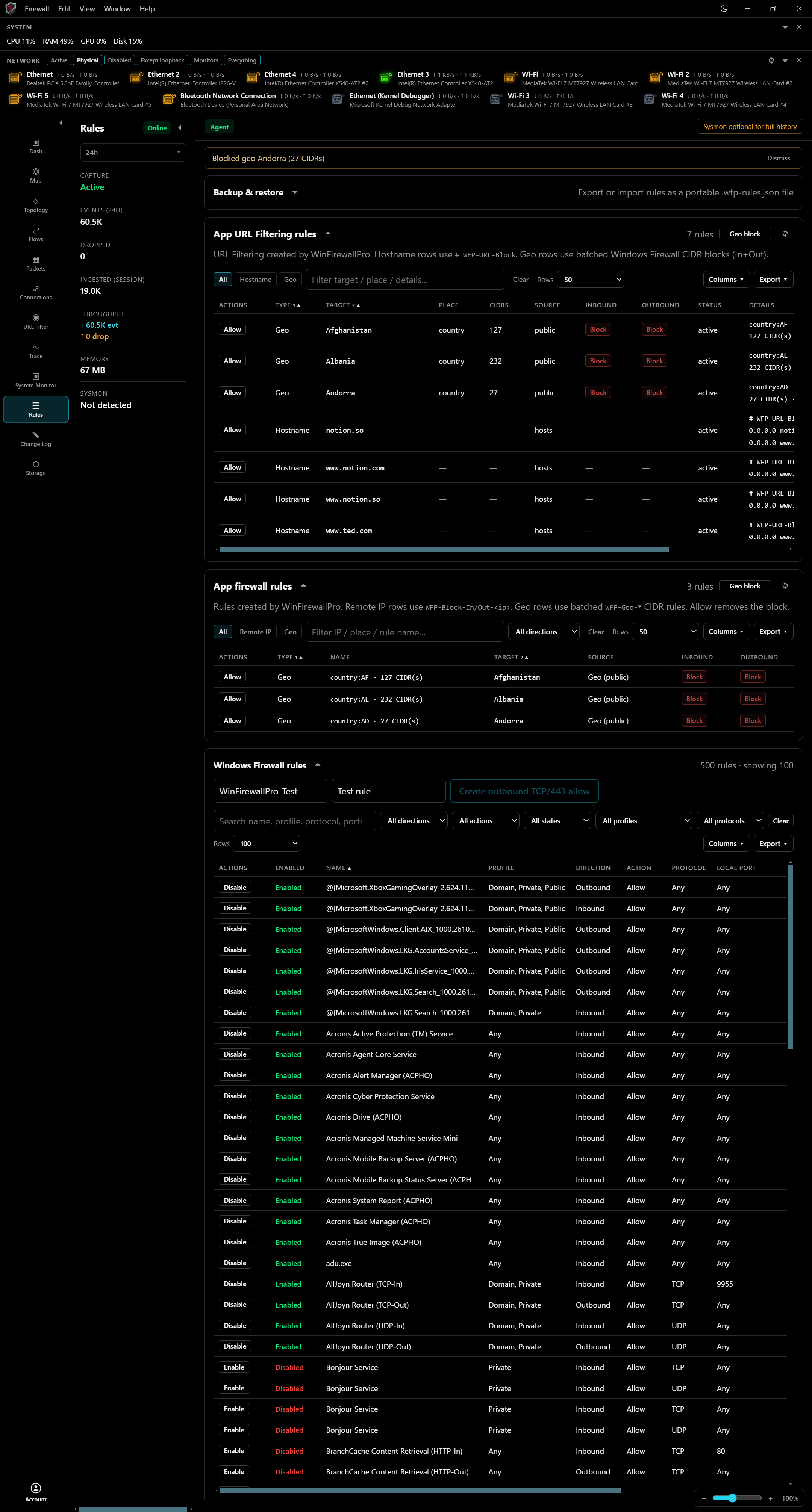
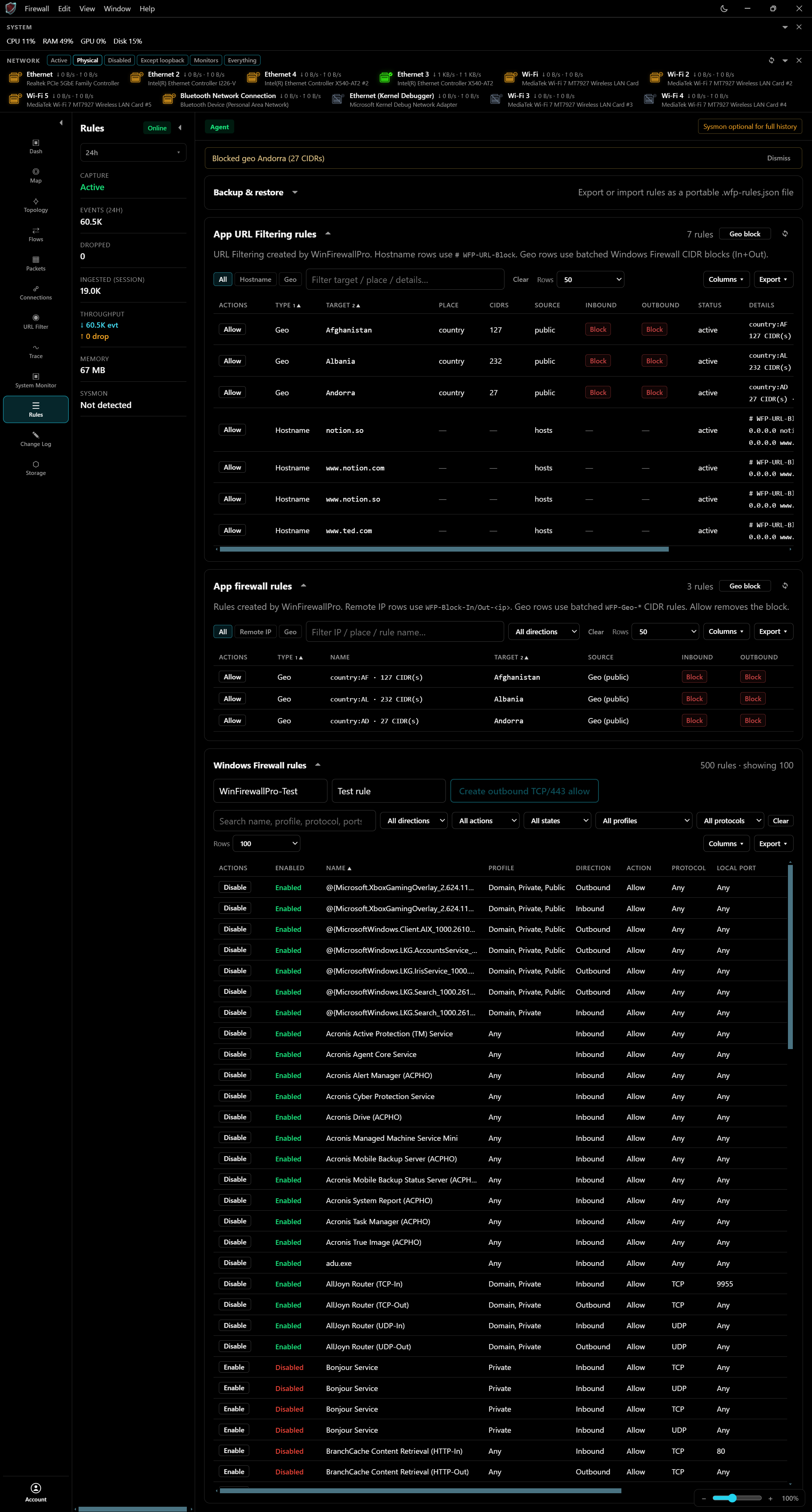
06 — Rules
Manage app URL filters, app firewall rules, and native Windows Firewall entries from one dense, actionable table.
07 — Application flows
Trace flows from process to destination, then act—Block and Allow sit on every row where decisions happen.
Ready when you are
WinFirewallPro is subscription-licensed for Windows 11. Sign up, pick a plan, and install the desktop shell.